Showing posts with label E30. Show all posts
Showing posts with label E30. Show all posts
Monday, March 18, 2013


Sunday, July 8, 2012
Velbon Super Mag Macro Tripod Slider and Focus Stacking
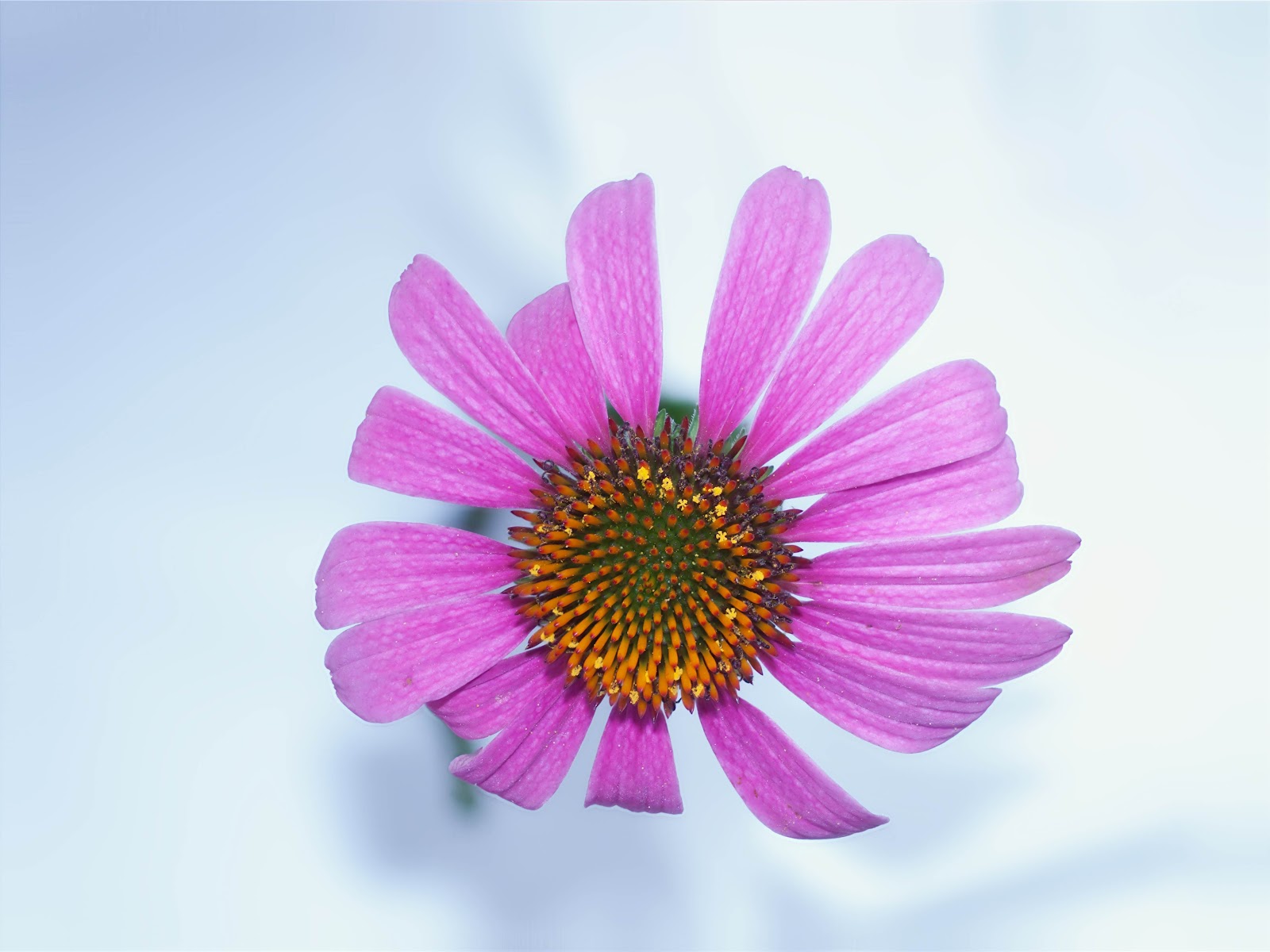
I have been wanting to do some focus stacking images for some time. Particularly for the flowers I like to photograph. I cannot get the whole flower (petals, stamen, and pistol) in focus with one shot. By using focus stacking you can create an image which will have the entire flower in focus. Find out more about focus stacking here and here. To make this process easier, I purchased the Velbon Macro Tripod slider like the one shown below:


I used a program called Combine ZP to align, scale, and stack the images. It is a free program that works remarkably well.
The Velbon unit worked well. I only wish that the X and Y movement knobs were on opposite sides. They can be made that way, and I will make the effort. More than once I had to start over because I moved the X position instead of the Y position. Here are my camera settings:
White Balance - Manual
Shutter Speed - Manual - 160
Aperture - Manual - 2.0
Mirror up delay - 5 secs
I started where the center (Highest point) of the flower was in focus and moved in in 17 increments. I mounted the slider on my ballhead.
This exercise was just that - an exercise to see how to do the setup and use the software. The Velbon slider is a vital part of the setup and it performed very well. I can also recommend the Combine ZP software.
Here is Velbon's description:
The Velbon Super Mag Macro Focusing Rail Slider, essential for
precision macro photography, is made of a lightweight,
corrosion-resistant magnesium alloy. Even with a steady hand, macro
photography can be tricky and temperamental. The fine tuning of the
Super Mag Slider helps you find the right depth of field to take precise
close-up photos.
The smooth action macro-rails consist of X and Y movable tables for precisely adjusting focus.
The X axis moves right and left, the Y axis moves towards and away from
the operator on threaded rods. By using the included allen wrench you
can separate the top and bottom tables for additional modification.
Underneath the top table (Y), there are both 1/4 and 3/8-inch threaded holes for mounting the top table to a tripod. The adjustment knobs are smooth and fluid, and have just the right amount of resistance.- 4-way adjustment - forward / backward / left / right
- Detachable lower base - changeable to 2-way slider
- Made from light weight & durable magnesium alloy
- Lateral adjustment rang: 1.2" (30 mm) / Fore/aft adjustment range: 2.4" (60 mm)
- Dimensions: 8.3 x 4.7 x 2.8 in. (210 x 120 x 70mm) / Weight: 1.04 lb. (470g)
I completed my first attempt at focus stacking using a cone flower. I took 17 images turning the rail advance screw about 1 turn each time. Here are the 17 images and the result.

I used a program called Combine ZP to align, scale, and stack the images. It is a free program that works remarkably well.
The Velbon unit worked well. I only wish that the X and Y movement knobs were on opposite sides. They can be made that way, and I will make the effort. More than once I had to start over because I moved the X position instead of the Y position. Here are my camera settings:
White Balance - Manual
Shutter Speed - Manual - 160
Aperture - Manual - 2.0
Mirror up delay - 5 secs
I started where the center (Highest point) of the flower was in focus and moved in in 17 increments. I mounted the slider on my ballhead.
This exercise was just that - an exercise to see how to do the setup and use the software. The Velbon slider is a vital part of the setup and it performed very well. I can also recommend the Combine ZP software.
Saturday, May 19, 2012
Olympus E30 My Mode
I have had for Olympus E30 for a couple of years now. I really like the camera. There is a lot of functionality that I haven't been using. As I mentioned in another post, I have been shooting in the sepia mode on my point and shoot. I thought that the E30 had a sepia mode as well. It does! I don't think I've ever used it till now. The benefit of shooting in the sepia mode for me is that you can immediately see on the lcd if the image is going to work as a sepia image.
Then there is the need to save the sepia image. I usually shoot RAW only, and when the E30 is in the sepia mode, the RAW images are color as usual. Even though the lcd preview is sepia. If you want to save the sepia image you have to be in the RAW + Jpeg mode. The sepia images are stored as .jpg's. This is fine and dandy, but I don't want to stay in the RAW + Jpeg mode all the time. I don't want to shoot sepia's all the time. What to do?
My Mode to the rescue. I simply put the sepia and RAW + Jpeg settings into Mode 2 and set Mode 2 as the selected mode. I also set the fn (function) button to activate My Mode. So now, I have the camera set up as I normally shoot and when I want a sepia shot (with RAW + Jpeg) I press the fn button along with the shutter. Works great! The are two My Mode setting, so I could add another.
Then there is the need to save the sepia image. I usually shoot RAW only, and when the E30 is in the sepia mode, the RAW images are color as usual. Even though the lcd preview is sepia. If you want to save the sepia image you have to be in the RAW + Jpeg mode. The sepia images are stored as .jpg's. This is fine and dandy, but I don't want to stay in the RAW + Jpeg mode all the time. I don't want to shoot sepia's all the time. What to do?
My Mode to the rescue. I simply put the sepia and RAW + Jpeg settings into Mode 2 and set Mode 2 as the selected mode. I also set the fn (function) button to activate My Mode. So now, I have the camera set up as I normally shoot and when I want a sepia shot (with RAW + Jpeg) I press the fn button along with the shutter. Works great! The are two My Mode setting, so I could add another.
Monday, April 23, 2012
My Review of Olympus E-30 12.3 Megapixel Digital SLR Camera Body with 2.7" HyperCrystal II LCD Screen
Originally submitted at Adorama

Olympus E-30 12.3 Megapixel Digital SLR Camera Body with 2.7" HyperCrystal II LCD Screen
A great DSLR
By HWPhoto from Greenville, SC on 4/23/2012
What do you do with your digital images?: Upload to online photo sharing sites, Use in personal blogs, web sites, and social media sites, Save to disk, Create photo albums, mugs, t-shirts using online photo sites, Print using an in-store photo service via online upload, Email to friends and family, Print using a home printer
Picture Quality (e.g. clarity, sharpness, color): 8
Ease of Operation: 10
Shutter Speed/Lag Time: 8
Variety of features (e.g. zoom, image stabilization, low light): 8
Durability/reliability (e.g. damage resistance, battery life and sturdiness): 9
Overall Experience: 9
How likely are you to recommend your digital camera to your friends, family, co-workers, etc.: Definitely will
Pros: Good Image Quality, Easy To Use, Fast Shutter Speed, Great Oly Color, Good Image Stabilization, Tilt /Swivel LCD, Large Clear LCD
Cons: Noisy At High ISO
Best Uses: General
Describe Yourself: Photo Enthusiast
Was this a gift?: No
The E30 is an excellent DSLR. Coupled with Oly lens, it takes wonderful images.
(legalese)
Tuesday, April 17, 2012
Sunday, April 15, 2012
Closeups with Glass Orb
There is a group on G+ that features images taken with a glass ball or orb. It's called #oculusimages. Most of the images are landscapes and they are pretty cool. Well, the orb can magnify as well. So I used it as a magnifying glass for photographing a snail shell. I really like the images. I love have the light diffracts and the blur. Kind of like a lensbaby, but more versatile. I made a little stand for my orb and put the shell underneath it. I lit the shell with a flashlight. I will definitely be playing with this again.


Wednesday, July 28, 2010
Set Zoom in Olympus E30 Live View
I have trouble seeing to focus my camera. Using live view helps. However, even with live view I would still mis the focus at times. I remember reading about magnifying the image in live view but didn't know how to do it. I fiddled around with the menus, buttons and dials but nothing seemed to magnify the image in live view. Time to read the manual.
After consulting the manual. After looking at the manual, it is really easy to do, albeit not very intuitive. Here are the steps:
1) Select Live View
2) Press the INFO button multiple times until a green square appears in the center of the image.
3) Press the OK button.
Live View should now be magnified. For me it's difficult to use handheld because the image is moving around so much. With practice, it might work allright. With the camera on a tripod, it works great.
Saturday, January 2, 2010
Ownuser Camera External Battery Holder for Olympus E30
I received a Battery Grip for my Oly E30 as a Christmas present :-) from my wonderful wife. This is a good addition for the camera. It can be found at:
OwnUser
Pros:
1) Battery life - 2 batteries gives exceptional battery life.
2) Portrait shutter button - shooting in the vertical mode is easier with the additional shutter button.
3) Shutter and aperture control in portrait position.
4) Remote cable
5) IR remote
Cons:
1) Can't use remote cable with recently constructed "L" bracket.
2) No rubber or cork on bottom for friction mounting on tripod. - Seems like this would be standard.
3) A wee bit of wobble in the fit to the camera.
It also came with an external battery pack which can be loaded with "AA" cells as an additional power source. I have not used this feature yet, but with it, you should never run out of power for the camera. The external 9V power connector is a more conventional connector than the one that comes on the E30, so using an external AC power adapter might be easier as well.
I think this is a great deal.
Added 10 Jan 10: I used the external battery pack with 8 rechargeable AA cells today. It worked fine. The cells must be fully charged or you won't get many shots. The cord from the pack to the camera is short, so I stored the pack in my coat pocket. The battery pack give you another power source.
OwnUser
Pros:
1) Battery life - 2 batteries gives exceptional battery life.
2) Portrait shutter button - shooting in the vertical mode is easier with the additional shutter button.
3) Shutter and aperture control in portrait position.
4) Remote cable
5) IR remote
Cons:
1) Can't use remote cable with recently constructed "L" bracket.
2) No rubber or cork on bottom for friction mounting on tripod. - Seems like this would be standard.
3) A wee bit of wobble in the fit to the camera.
It also came with an external battery pack which can be loaded with "AA" cells as an additional power source. I have not used this feature yet, but with it, you should never run out of power for the camera. The external 9V power connector is a more conventional connector than the one that comes on the E30, so using an external AC power adapter might be easier as well.
I think this is a great deal.
Added 10 Jan 10: I used the external battery pack with 8 rechargeable AA cells today. It worked fine. The cells must be fully charged or you won't get many shots. The cord from the pack to the camera is short, so I stored the pack in my coat pocket. The battery pack give you another power source.
Subscribe to:
Posts (Atom)